Free guide · 11-page PDF

Say the whole thing

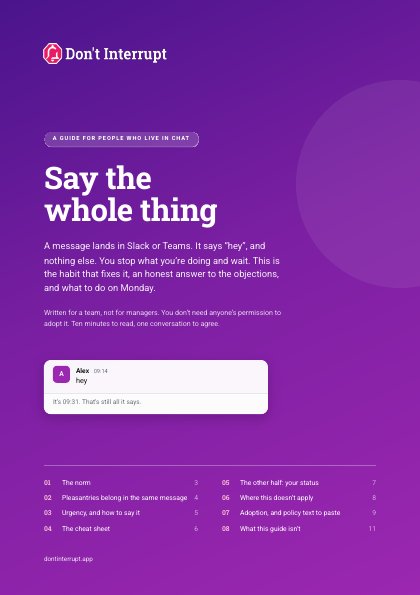
A message lands in Slack or Teams. It says “hey”, and nothing else. You stop what you’re doing and wait. This guide is the habit that fixes it, an honest answer to the objections, and what to do on Monday.

Download the guide PDF, 324 KB. Free, no email needed.
The habit in one line

Put the ask, the context and the urgency in the first message.

Send your hello in that message, not instead of it. Here’s the same request, sent by the same person on the same morning. Both are friendly. Only one is finished.

Incomplete
Alex
Morning!
Alex
You free?
Nobody was unfriendly. The request simply never arrived.
Whole message
Alex
Morning! Hope the move went alright. Quick one when you surface: could you check the Q3 figures before Thursday? Nothing needed today.
Same warmth, one message. They know what’s wanted, by when, and that they can finish their sentence first.

What’s in the guide

Eight short sections. Ten minutes to read, one conversation to agree. Written for a team, not for managers: you don’t need anyone’s permission to adopt it.

  1. 01

    The norm

    What goes in a first message, and what an incomplete one costs the person reading it.

  2. 02

    Pleasantries belong in the same message

    The “this makes teams cold” objection, answered. Keep the warmth and send it with the request.

  3. 03

    Urgency, and how to say it

    Three levels, now, today and by a date, and why “no rush” doesn’t help.

  4. 04

    The cheat sheet

    Six messages people really send, each rewritten whole.

  5. 05

    The other half: your status

    A status that’s true, says when it ends, and says what to do if it’s urgent.

  6. 06

    Where this doesn’t apply

    Emergencies, social chat, thinking out loud, and conversations that shouldn’t be in a message at all.

  7. 07

    Adoption, and policy text to paste

    Five steps for a team, the reply that makes it stick, and wording for a handbook.

  8. 08

    What this guide isn’t

    Not proof, not a clinical tool, not a rule for everything. With sources.

Download the PDF 11 pages, 324 KB

Policy text you can paste

From section seven. Put it in your handbook, team charter or channel topic, and change the wording to sound like your team.

Communication norm: complete first messages

When you message a colleague with a request, put the ask, the context and the urgency in the first message. Don’t send a greeting on its own and wait for a reply before saying what you need.

Pleasantries are welcome. Send them in the same message as the request rather than instead of it.

State urgency explicitly: now, today, or by a named date such as “before Friday”. “Now” is for work that is genuinely blocked or time critical. Avoid “whenever”, which leaves the reader to schedule your request for you.

Where a message could reasonably be read as concerning, say plainly that it isn’t, for example: “nothing’s wrong”.

Keep your chat status honest, and use Do Not Disturb for focused work. A status that says when you’ll be back, and how to reach you if it’s truly urgent, is part of the same courtesy.

This applies to transactional messages. It doesn’t apply to social conversation, to emergencies, or to sensitive personal matters, which are better handled in a conversation than in a message.

Replying “what’s the ask?” to an incomplete message is an accepted and friendly response, not a criticism.
Pass it on

The quickest way to make it stick is to send it to the people you message most.

Where it came from

In August 2026, our founder wrote a short post on LinkedIn making this argument. The replies described what these messages had cost people: a weekend lost to a Friday “got a moment Monday?”, a task that never came back after one ambiguous ping. Enough people said the same thing that it was worth writing down.

The other half: your status

A complete message fixes the sender’s side. A status that says you’re in a meeting until three fixes the reader’s side. Don't Interrupt sets your Slack and Microsoft Teams status, presence and Do Not Disturb from your calendar and working hours, so colleagues can tell when to wait.

Try Don't Interrupt free Works with Slack and Microsoft Teams